

When 'LED panel light' returns 214 results with 87 wattage options, buyers leave. Your search engine is working exactly as designed. Your data is broken upstream.
The query that exposes everything
A buyer searches 'LED panel light' on your site. They need a 2x4, 40W, 4000K fixture for a conference room. The results page shows 214 products. The wattage filter displays 87 distinct values in a scrolling list. The color temperature filter is missing entirely.
After 90 seconds of scrolling, they call the branch. You just lost a conversion because someone at the factory wrote '40W' and '40 Watts' in different spreadsheet cells six months ago.
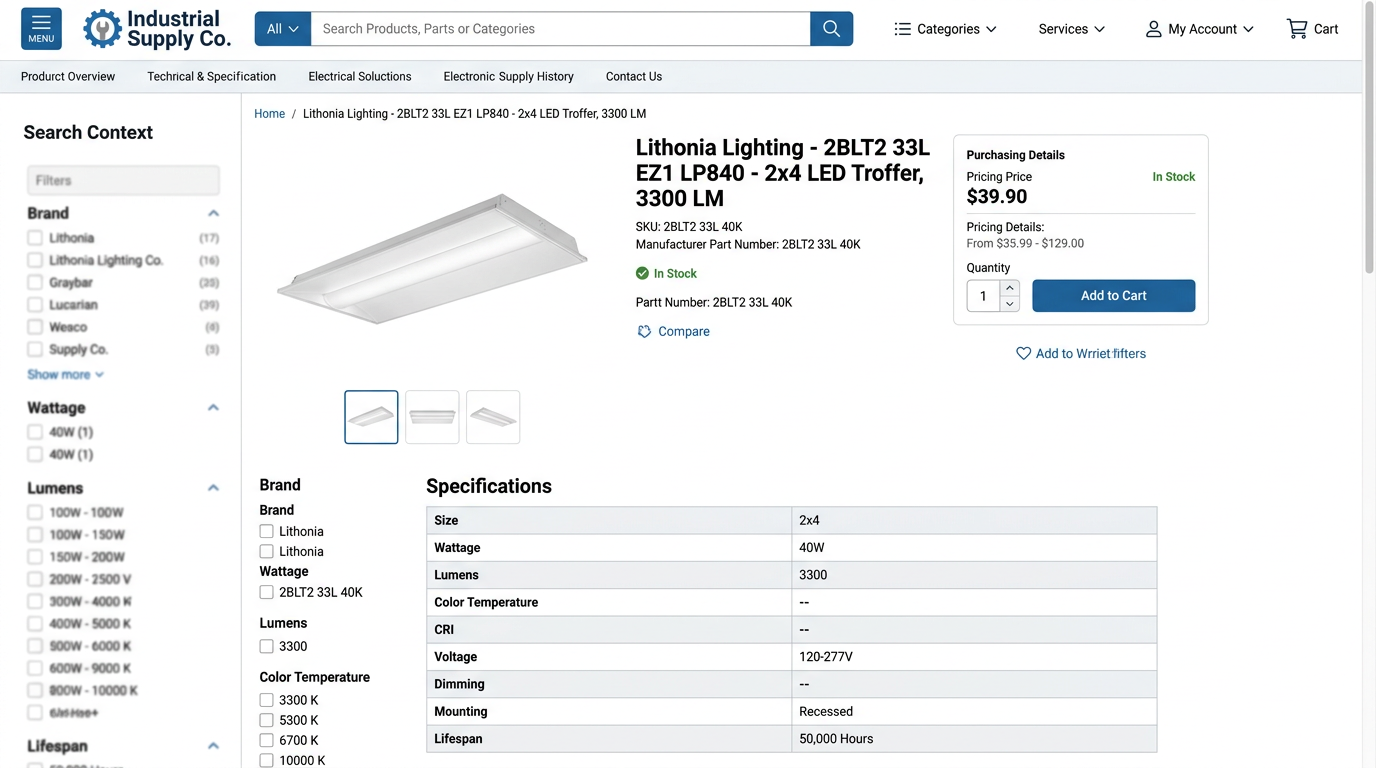
Where the 214 results came from
Export the raw indexed data behind those 214 results:
| Product Type | Count | Example SKU |
|---|---|---|
| LED panel lights | 140 | LP-2X4-40W-40K |
| LED drivers | 38 | DR-LED-40W-PANEL |
| Mounting kits | 22 | MK-GRID-PANEL-24 |
| Battery packs | 14 | BP-EM-PANEL-90M |
The search engine matched the keyword 'panel' in descriptions and part numbers. It did exactly what it was designed to do. The problem is taxonomy depth.
LED driver that contaminated results
| Field | Value |
|---|---|
| Part number | DR-LED-40W-PANEL |
| Description | 40W LED Driver, panel-compatible, 0-10V dimming |
| Category | Lighting Fixtures > LED Panel Lights |
This driver belongs in LED Drivers > Panel-Compatible Drivers, not in the same category as finished luminaires. The search engine sees 'LED', 'panel', and the parent category. It includes the result.
Accessories sitting in the same bucket as finished products is a classification problem, not a search configuration problem. According to Baymard Institute's testing, 52% of ecommerce sites fail to post-process vendor data, making product comparison nearly impossible.
Is it a luminaire (fixture)? Include in LED Panel Light results.
Is it an accessory or component? Recategorize to specific child category (Drivers, Mounting Hardware, Emergency Equipment).
Does it only work with panels? Mark with compatibility attribute, do not include in fixture results.
Why the wattage filter shows 87 options
Of the 140 actual panel lights, only 87 have wattage populated. Those 87 products show wattage six different ways:
| Raw Value | Count | Canonical Value |
|---|---|---|
| 40W | 22 | 40 W |
| 40 W | 18 | 40 W |
| 40 Watts | 9 | 40 W |
| 40 | 12 | 40 W |
| 40w | 16 | 40 W |
| 38-42W | 10 | 40 W |
The filter shows all six as separate options because they are separate string values in your index. Buyers see 87 options and assume the filter is broken. The filter works fine. The normalization step upstream never happened.
Before normalization
- 40W
- 40 W
- 40 Watts
- 40
- 40w
- 38-42W
- 45W
- 50W
- ...74 more options
After normalization
- 15-25 W (18)
- 30-40 W (64)
- 45-55 W (41)
- 60-75 W (23)
The filter that disappeared
The color temperature filter is missing because only 64 of the 140 panel lights have CCT populated. Most search platforms hide filters when coverage drops below 60-70%.
| Attribute | Coverage | Why It Matters |
|---|---|---|
| Wattage | 62% | Primary selection criteria |
| CCT (color temp) | 46% | Filter hidden below threshold |
| Dimensions | 29% | Critical for retrofit projects |
| Lumens | 16% | Buyers use lumens/watt for efficiency |
This is why your filters feel broken. The data behind them is 40-50% complete, so the filters flicker in and out depending on which subset of results the buyer is viewing.
Do not fix this with better search tuning. Fix it with an attribute completeness project assigned to a human with a two-week deadline.
Fixing this in priority order
LED drivers to LED Drivers > Panel-Compatible Drivers. Mounting kits to Mounting Hardware > Panel Mounting. Battery packs to Emergency Lighting > Battery Packs. Do not rely on keyword exclusion lists. Fix the taxonomy.
Wattage, color temperature, dimensions, lumens. Track coverage by manufacturer. Assign to whoever owns data completeness. Set a two-week target. Publish weekly progress in Slack.
Canonical wattage format: 40 W (no plural, space between number and unit). Configure filters to show ranges: 15-25W, 30-40W, 45-55W, 60-75W. Same for CCT: 3000K, 3500K, 4000K, 5000K.
What good looks like
After fix: 'LED panel light' returns 140 results. Wattage filter shows 4 range options with result counts. CCT filter shows 4 options. Dimensions filter shows 6 standard sizes.
A buyer clicks '2x4', '40W', '4000K'. They see 8 results. Time to decision: 18 seconds.
The search engine didn't change. The data did.
- Export raw search results for your top 10 queries
- Count results by product type (fixtures vs. accessories)
- Check attribute coverage for products that should appear
- Identify raw value variants (40W vs 40 W vs 40 Watts)
- List categories where accessories contaminate fixture results
- Assign recategorization to data ops with specific SKU lists
- Define canonical formats for wattage, CCT, dimensions
- Configure range buckets in search platform