

The pattern every launch follows
Launch scheduled for Monday. By Wednesday afternoon, you are on a vendor escalation call because wire nuts are showing zero inventory despite 4,000 units in the ERP. Friday, someone exports the raw feed and finds the problem: your supplier sends quantity in boxes, your site displays quantity in individual connectors. The launch slips two weeks while you clean four months of imported data.
This is not bad luck. You are missing validation rules.
The same seven field-level errors appear in most catalog launches because teams validate schema compliance, not business logic. These are upstream data problems that belong in pre-import validation, not launch-day war rooms.
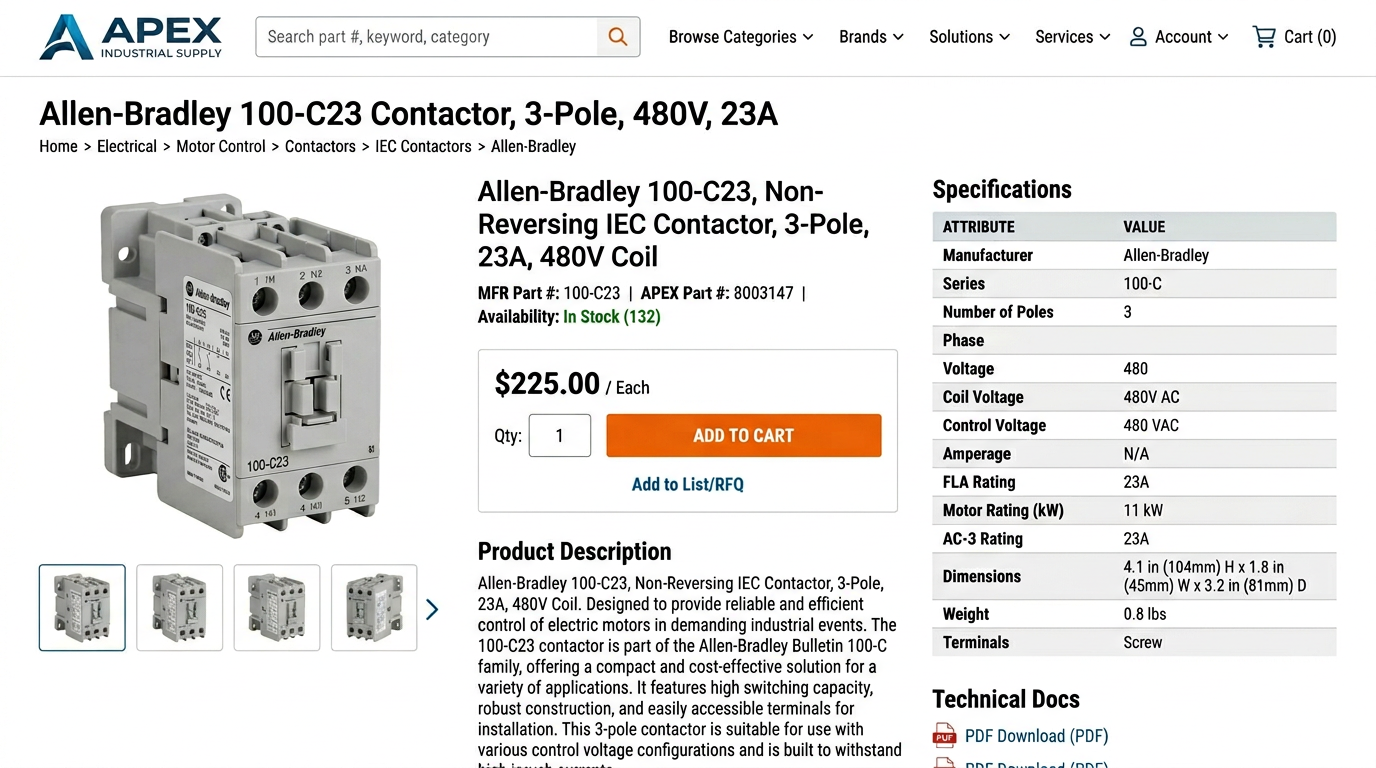
The seven errors
Error 1: UOM mismatch between supplier and ERP
Your supplier sends wire nut quantities as EA (each). Your ERP tracks them as BX (box). Wire nuts ship 100 per box. A customer orders quantity 1, expecting 100 connectors. They receive 1 connector.
| SKU | Supplier UOM | ERP UOM | Reality |
|---|---|---|---|
| IDEAL-30-3628 | EA | BX | 40 boxes, not 4,000 units |
| IDEAL-30-072B | EA | BX | 65 boxes, not 6,500 units |
Validation rule: Cross-reference supplier UOM against internal UOM table before import. Flag any SKU where supplier UOM does not match ERP UOM.
Error 2: Multi-value voltage in single text field
Supplier sends 120/240V as free text in a single field. Your faceted search splits on the slash and creates two filter options. Except it also creates options for 120/240VAC, 120V/240V, 120-240V, and 120 or 240V from other suppliers.
Raw supplier data: 47 distinct voltage values
- 120/240V
- 120/240VAC
- 120V/240V
- 120-240V
- 120 or 240V
After field splitting: 2 structured fields
coil_voltage: 120 V ACrated_voltage: 240 V AC
Validation rule: Reject any value containing slash, ampersand, dash, or 'or' in voltage fields. Require separate fields for coil voltage and rated voltage.
Error 3: Manufacturer part number formatting inconsistency
Schneider Electric's LC1D09G7 contactor arrives from four suppliers with four formatting patterns. Your PIM treats them as four separate products. You now have four listings for the same SKU, splitting inventory and killing your conversion rate.
Same product, four feeds
Supplier A: LC1D09G7
Supplier B: LC1-D09-G7
Supplier C: LC1D09 G7
Supplier D: LC-1D09G7
After normalization
Canonical form: LC1D09G7
Action: Merge to single listing
Validation rule: Strip hyphens and spaces from manufacturer part numbers before matching. Compare canonical forms. Flag any duplicates for manual review.
Error 4: Description truncated at import
Your supplier sends detailed 850-character product descriptions. Your import process truncates at 255 characters without warning. Customers see 'Schneider Electric TeSys D 3-pole IEC contactor with visible power terminal, easy m...' and bounce to a competitor with complete specs.
Count characters in description field before loading to PIM. Flag any descriptions exceeding field length limit.
If truncation required, cut at the nearest period before the limit. Never truncate mid-word or mid-sentence.
Add '...' or 'See full specs' link if description was trimmed, so customers know there is more information.
Validation rule: Measure length of all description fields. Flag any value exceeding 255 characters. Auto-trim at sentence boundary or reject import.
Error 5: Missing category assignment
A product arrives without an ETIM class or internal category assignment. It imports successfully. Schema validation passes. But search cannot index it, filters cannot include it, and customers cannot find it. Your reports show it as active with zero impressions for three months.
Product has ETIM class but no internal category: Import with warning, assign to default category.
Product has internal category but no ETIM class: Import with warning, flag for manual classification.
Product missing both: Reject at import. Require both fields before publish.
Validation rule: Require ETIM class assignment AND internal category path before allowing product to publish state.
Error 6: Duplicate GTIN
Same GTIN assigned to two products. This happens when suppliers reuse codes after discontinuing products, or when Excel drops leading zeros from 12-digit GTINs. Your inventory sync breaks, fulfillment routes orders to the wrong warehouse, and customer orders ship incorrect products.
Validation rule: Enforce GTIN uniqueness across entire catalog. Reject any GTIN shorter than 12 digits. Flag GTINs that appear on multiple active SKUs.
Error 7: Image asset linked to wrong SKU
Image filename CTL-240-A.jpg linked to SKU CTL-240-B. Customer calls asking why the product photo shows a different model than what arrived. Your team spends two hours investigating before someone checks the image filename against the SKU mapping table.
Validation rule: Parse image filename. Extract SKU pattern. Compare to linked SKU field. Flag any mismatches where filename SKU differs from product SKU.
Build the validation layer once
- Export last launch data and identify which of these seven errors appeared
- Define canonical formats for UOM, voltage, part numbers in your data dictionary
- Write validation rules as PIM import checks, not post-import cleanup scripts
- Test rules against sample data from three different suppliers
- Add rules to import pipeline before next feed loads
- Monitor exception rate weekly for first month, refine rules based on false positives
- Document override process for legitimate edge cases
- Review and update validation rules quarterly as suppliers change
When to validate
Validate at import, not at index. Catching bad data after it loads into your PIM means you are cleaning production data. Catch it at the feed boundary, before it touches your catalog. Most PIMs have validation rule engines. Most teams do not use them because no one documented which rules to write.
What this prevents
These rules do not eliminate launch risk. They eliminate the field-level errors that appear in nearly every launch. You will still find surprises on launch day. But you will not spend Wednesday afternoon explaining to your VP why the site is showing 4,000 wire nuts in stock when you only have 40 boxes, because your validation rules caught the UOM mismatch in the supplier feed before it reached production.